How to Manage Google Local Services Ads for Better Leads

To manage Google Local Services Ads well, start with an accurate profile and a service area you can cover. Set a budget based on the leads your team can handle. Then answer calls and messages quickly, track which leads become customers, and check charges for leads that may not qualify. Judge results by cost per booked job, not lead count alone.
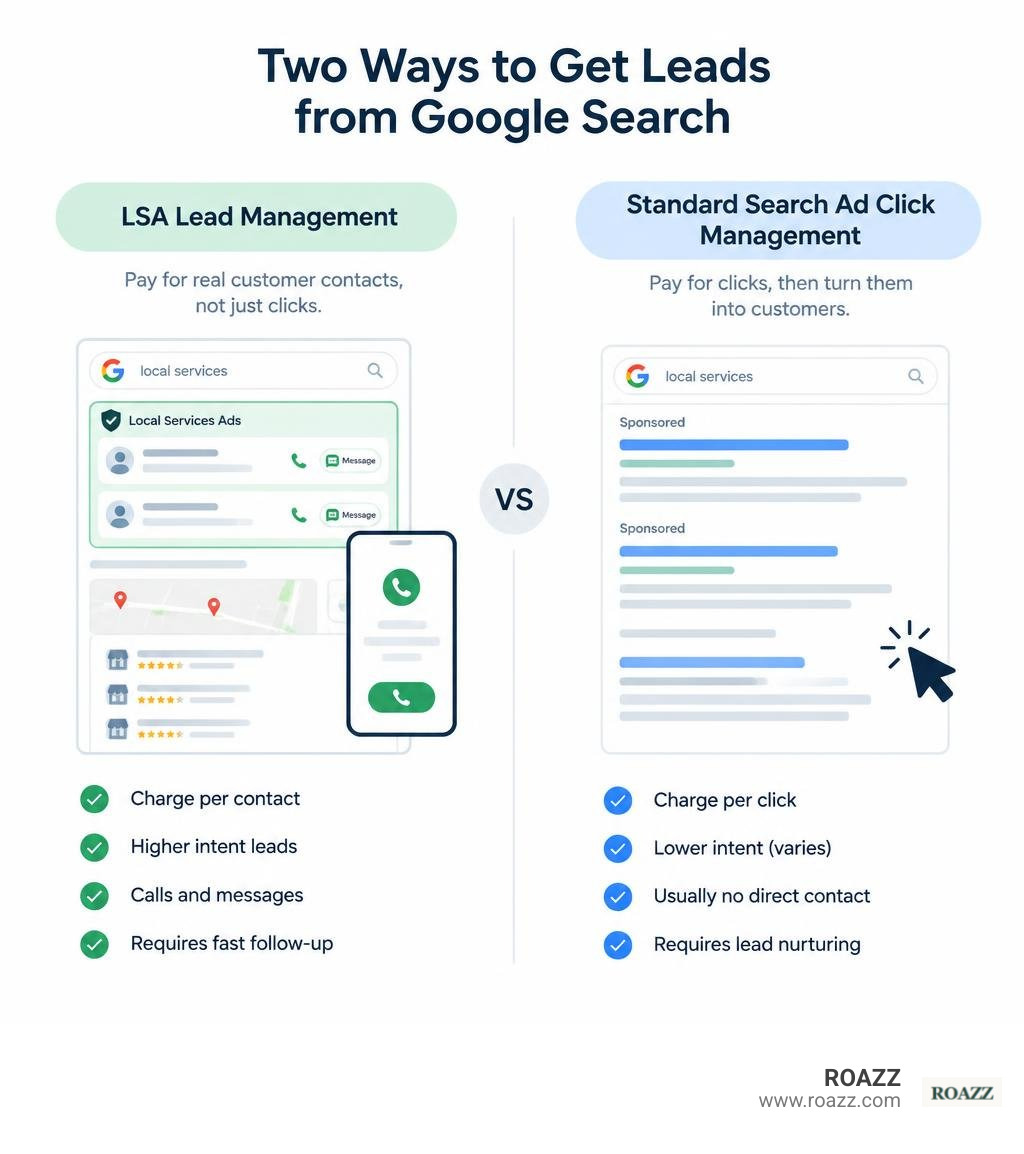
Local Services Ads can put your business near the top of relevant Google searches. Unlike standard Search ads, which usually charge for clicks, LSAs charge when a potential customer contacts you. That makes follow-up and lead quality just as important as ad visibility. This guide covers setup, access, rankings, lead reviews, and the privacy questions worth checking before you spend.
Understanding Local Services Ads: Eligibility, Badging, and Verification
When local intent is high, search real estate matters. Around 72% of people use Google search to find local services, making top-of-page visibility critical. Google Local Services Ads (LSAs) sit at the absolute peak of the search engine results page (SERP), placed even above standard Google Search pay-per-click (PPC) ads and the traditional local map pack.
Understanding how providers qualify for Local Services Ads is the first step in unlocking this premium real estate. Instead of bidding on individual keywords and sending traffic to an external landing page, LSAs operate as streamlined business cards where prospective clients can call, message, or book direct appointments right from Google.
For businesses already partnering with a PPC management agency, LSAs provide a direct, high-intent channel that captures immediate demand while standard PPC captures broader search queries.
| Feature / Metric | Google Local Services Ads (LSAs) | Traditional Google Search Ads (PPC) |
|---|---|---|
| Pricing Model | Pay-Per-Lead (PPL: calls, messages, bookings) | Pay-Per-Click (PPC: website visits) |
| Targeting Type | Job types and geographic service radius | Keywords, match types, and audiences |
| Placement | Very top of SERP (above all search ads) | Below LSAs, above or below organic results |
| Trust Marker | Google Verified badge | Ad assets (ratings, sitelinks, callouts) |
| Landing Page | Native Google business profile / call trigger | Custom website landing pages |
| Dispute Process | Crediting workflow for invalid/spam leads | Automated click-fraud detection |
Eligible Service Categories and Pre-Badge Ads
Local Services Ads support over 70 types of service-based businesses across eight major verticals: Home Services, Business/Legal, Healthcare, Learning/Tutoring, Care/Pet, Wellness, Beauty, and Automotive.
When getting started with Local Services Ads, businesses discover that verification timelines vary by trade. To bridge the gap, Google allows eligible businesses to run pre-badge ads.
Pre-badge ads allow you to start generating inbound leads after satisfying preliminary checks:
- Submitting valid trade licensing or business registration.
- Acknowledging industry-appropriate operating standards.
- Maintaining active customer reviews tied to your profile.
- Setting up valid billing information and a campaign budget.
Note on restrictions: Pre-badge ads are not permitted for high-security or sensitive verticals like locksmiths, garage door repairs, and healthcare providers. Additionally, direct booking features are not offered for healthcare categories due to patient privacy standards.
Google Verified Badges vs Traditional Badging
In October 2025, Google streamlined its consumer trust ecosystem by introducing the unified Google Verified badge, replacing legacy badges such as the Google Guarantee and Google Screened markers.
Achieving the Google Verified status signals to prospective clients that your business has successfully cleared comprehensive background checks, business entity registration audits, valid trade licensing validation, and active commercial general liability insurance verification.
While the badge builds immediate consumer confidence and improves ad placement, certain categories—such as dining and restaurant verticals—remain excluded from receiving the Verified badge.
Google Local Services Ads Management vs Traditional PPC
Running an LSA campaign requires a different mindset than managing traditional PPC search campaigns. Standard PPC requires exhaustive negative keyword lists, landing page A/B testing, and conversion rate optimization (CRO).
In contrast, effective google local services ads management centers on operational responsiveness, geographic boundary discipline, review velocity, and aggressive lead qualification. You do not bid on keywords like "emergency pipe repair near me." Instead, you select "Pipe Repair" under your trade category and define your geographic service zones. When a search matches, your ad enters the auction based on proximity, review score, and response speed.
Setup, Account Architecture, and Access Control
Getting campaigns off the ground requires precision during onboarding. You can explore how Google lets you reach local customers with Local Service Ads to establish your core profile footprint. In performance marketing, aligning campaign structure with real post-click capacity ensures ad spend never outpaces your ability to close deals. To understand our overall philosophy on conversion paths, explore how it works.
Step-by-Step Verification and Onboarding Process
Setting up an account follows a strict compliance pathway, whether you are onboarding in the United States or reviewing the setup process for getting started with Local Services Ads in Canada:
- Check Eligibility & Create Account: Confirm your specific business subcategory and operating zip/postal codes.
- Google Business Profile (GBP) Matching: Link your existing Google Business Profile. The email address used must have Owner or Manager permissions on the GBP listing. Status synchronization can take up to 24 hours.
- Submit Trade Licenses: Upload current municipal, state, or provincial trade licenses. For companies servicing across state lines, licensing must be verified for each individual jurisdiction.
- Provide Proof of Insurance: Upload valid commercial general liability insurance certificates that meet category minimums.
- Background Screening: Submit business owners and field technicians for third-party background checks. Companies with qualified internal vetting procedures can apply for third-party background check equivalency verification.
- Set Weekly Budget & Go Live: Define your weekly spend and activate your listing.
User Access Levels and Permissions in Google Local Services Ads Management
Delegating permissions within an LSA account must adhere to the principle of least privilege. You can manage access to your Local Services Ads account through five distinct account permission tiers:
| Access Level | View Reports | Manage & Reply to Leads | Edit Profile & Settings | Manage Billing & Payments | Manage Users & Permissions |
|---|---|---|---|---|---|
| Email-only | Yes (via email alerts) | No | No | No | No |
| Billing-only | No | No | No | Yes (via Payments Profile) | No |
| Read-only | Yes (in-app dashboard) | No | No | Limited | No |
| Standard | Yes | Yes | Yes | Limited | No |
| Administrative | Yes | Yes | Yes | Yes | Yes |
Important Note on Billing Architecture: Local Services Ads accounts handle payment profiles through the Google Payments Centre. To modify legal tax details, billing addresses, or consolidated invoicing across multiple locations, you must manage credentials through a linked Google Ads Manager Account (MCC).
Technical Campaign Settings and Google Ads API Integration
For enterprise operators and multi-location franchises, managing LSAs through the front-end user interface alone can create bottlenecks. Programmatic management is supported through Local Services campaigns via Google Ads API.
Key technical considerations include:
- Campaign Limitations: There can only be one Local Services campaign per individual Google Ads client account.
- Bidding Configurations: Campaigns support programmatic bidding via
ManualCpa(setting specific category-level target cost-per-acquisition) orMaximizeConversions. - Performance Max Integration: Local Services campaign settings are integrated within Performance Max frameworks, allowing unified budget allocation between LSAs and PMax assets.
- Lead Conversations Resource: Developers can query the
LocalServicesLeadConversationresource to programmatically retrieve call duration, call recording URLs, and message attachments using specific lead IDs.
Core Strategies for Google Local Services Ads Management and Optimization
Driving profitability from LSAs requires moving beyond basic profile completion. We deploy tailored services focused squarely on post-click conversion performance and revenue tracking rather than superficial ad impressions.
Dominating LSA Ranking Signals
The LSA auction does not rely solely on who bids the highest. Google’s algorithm prioritizes consumer experience and proximity.
The core ranking factors include:
- Review Score and Velocity: Both your aggregate star rating and the regular influx of fresh reviews directly impact your ad position.
- Response Speed: How quickly you answer inbound calls or reply to incoming message leads is a major factor. Consistently missing calls or leaving chat inquiries open pushes your profile down.
- Proximity: How close your registered business location or verified service radius is to the searcher's physical location.
- Business Hours & Ad Schedule: If your profile indicates you are closed, your ads will drop in rank or cease showing entirely for direct calls.
- Complaint History: Recurring customer escalations or unresolved disputes filed through Google can permanently suppress ad placement.
Lead Management, Call Tracking, and Dispute Workflows
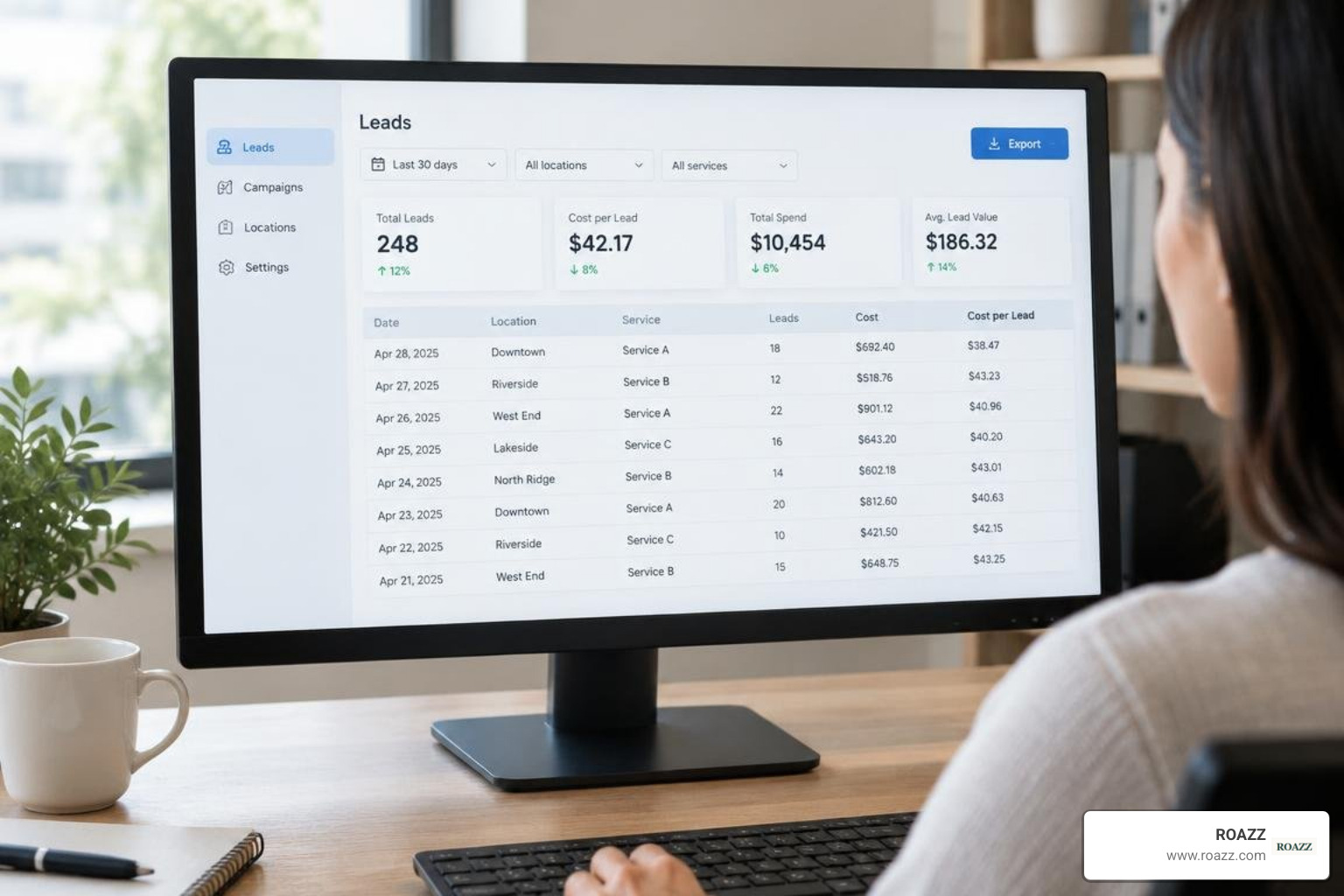
Every lead charged to your account must be tracked. Inbound calls are recorded and logged inside the LSA dashboard, providing a clear audit trail.
Managing and Disputing Invalid Leads
Not every incoming call represents a valid business opportunity. Google allows advertisers to dispute invalid charges directly in the dashboard.
Legitimate Grounds for Disputing a Lead:
- Wrong Geo/Service: The customer was seeking a service you do not offer, or was located outside your declared service area.
- Spam or Automated Robo-calls: Recorded audio demonstrates automated sales pitches, bot traffic, or telemarketing.
- Wrong Numbers: The caller dialled asking for an unrelated individual or business.
- Duplicate Charges: You were billed twice for the same customer inquiry within a short attribution window.
Non-Disputable Scenarios:
- The lead did not hire you after speaking with your sales team.
- The caller hung up because your pricing was outside their budget.
- You missed the call and failed to return the voicemail.
Navigating Terms of Service Updates and Privacy Risks
A major development in local ad management occurred following Google's updated Terms of Service on April 22, 2025. Under these terms, Google updated its operational policies regarding content ownership and advertiser communications within Local Services Ads.
Specifically, Google maintains the right to access, record, transcribe, and analyze all call recordings and message conversations generated through LSAs. While this data is used to verify lead authenticity, evaluate dispute claims, and improve Google’s machine-learning products, it introduces compliance considerations.
For businesses operating in sensitive "Your Money Your Life" (YMYL) or privacy-restricted sectors (such as legal, healthcare, or financial services), handling confidential customer details over recorded LSA numbers requires careful review. Ensure your client intake protocols disclose recording policies or direct sensitive consultations to secure channels after the initial contact.
Frequently Asked Questions About Local Services Ads
For additional insights into setting up campaigns, check out our FAQs for in-depth answers.
How do Local Services Ads costs compare to traditional Google Ads?
Traditional Google Search campaigns charge on a pay-per-click basis, meaning you pay every time a user visits your landing page, regardless of whether they make contact. Local Services Ads charge exclusively on a pay-per-lead basis.
While an individual LSA lead cost may appear higher than an individual search click, the cost-per-acquisition (CPA) is often significantly lower because you are paying only for direct conversations with potential clients.
How can businesses dispute and refund invalid leads in LSA?
To dispute an invalid lead, navigate to the Leads tab in your Local Services Ads dashboard:
- Locate the specific lead call or message within your reporting log.
- Select Dispute Lead from the actions menu.
- Choose the appropriate dispute reason (e.g., job not serviced, out of service area, spam).
- Submit any supporting context. Google's audit team evaluates the recorded conversation and credits eligible charges back to your billing profile.
What are the best alternatives if a business is ineligible for LSAs?
If your business operates in an unsupported service vertical or you prefer not to use call-recording platforms, strong alternatives include:
- Standard Google Search PPC: Build targeted campaigns focused on high-intent long-tail keywords.
- Local Map Pack Optimization: Optimize your Google Business Profile to capture top rankings in organic 3-pack local map results.
- Performance Max for Local Goals: Run cross-channel campaigns driving local store visits and actions.
If you are looking to build a high-performing acquisition strategy, consider contacting us to review your options.
Conclusion: Maximizing Local Lead ROI
Google Local Services Ads are among the most effective customer acquisition channels for local businesses. By securing top placement, backed by the trust of the Google Verified badge, you can capture motivated local customers right at their moment of need.
However, success with LSAs requires more than simply passing verification and turning campaigns on. It demands steady profile maintenance, quick response times, systematic lead auditing, and tracking beyond initial inquiries down to booked revenue.
At ROAZZ, we focus on actual business outcomes—measuring sales, appointments, and bottom-line profit rather than vanity metrics. To build a local advertising engine focused on measurable growth, explore ROAZZ to learn how our performance strategies turn local search demand into long-term revenue.